
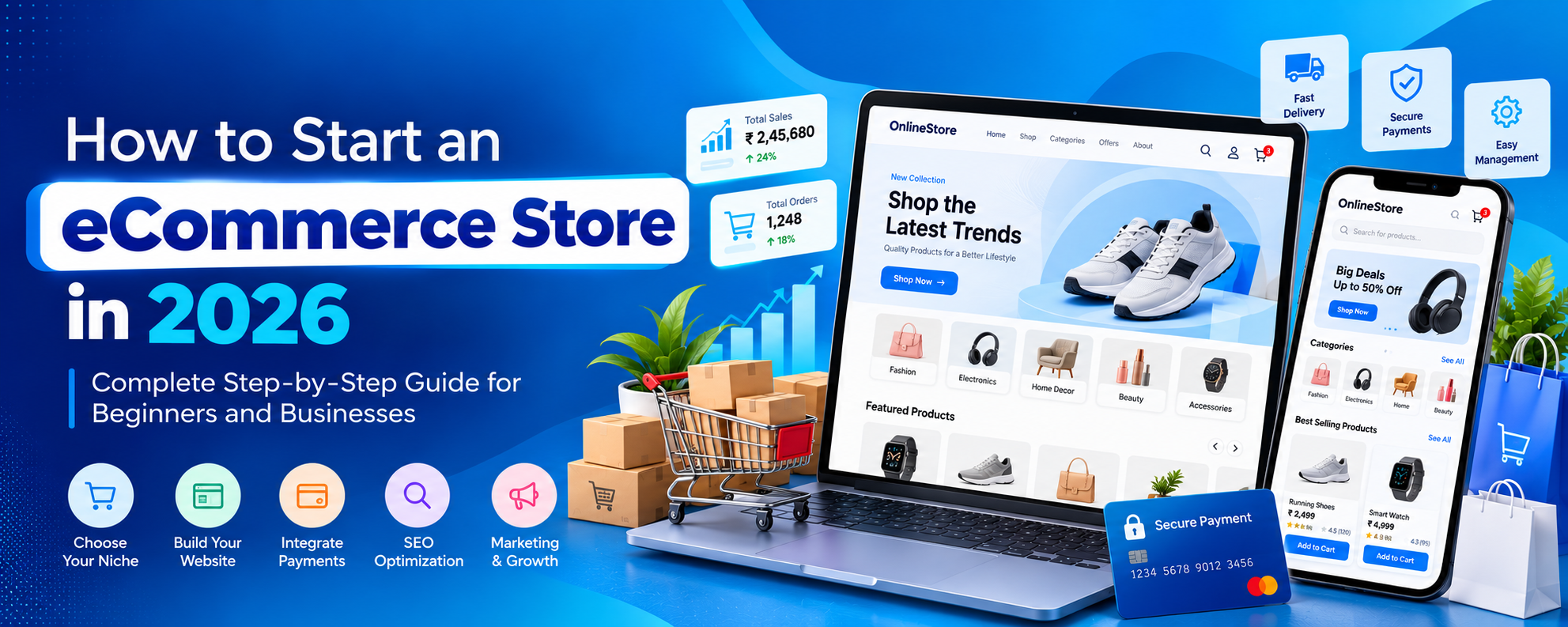
Starting an eCommerce store in 2026 is an exciting opportunity for entrepreneurs, startups, retailers, manufacturers, and established businesses. A professionally developed online shopping website allows you to sell products around the clock, reach customers across different locations, and manage business operations through a centralized digital platform.
However, building a successful eCommerce business requires more than uploading products and activating an online payment gateway. You need the right business model, reliable technology, an attractive website design, secure checkout functionality, effective search engine optimization, and a long-term marketing strategy.
In this comprehensive guide, we explain how to start an eCommerce store in 2026, covering everything from selecting a profitable niche to developing your website, integrating payment gateways, improving SEO, and growing your online business.
Whether you want to build a small online shop, a custom Laravel eCommerce website, a B2B ordering portal, or a multi-vendor marketplace, this guide will help you understand the essential steps.
1. What Is an eCommerce Store?
An eCommerce store is a website or mobile application that enables customers to browse products, add items to a shopping cart, make online payments, and place orders without visiting a physical store.
Modern eCommerce platforms provide much more than online product listings. They can include inventory management, customer accounts, discount coupons, shipping integrations, sales analytics, personalized recommendations, and automated order notifications.
Types of eCommerce Business Models
- B2C (Business to Consumer): Businesses sell products directly to individual customers.
- B2B (Business to Business): Manufacturers, wholesalers, and distributors sell products to other businesses.
- D2C (Direct to Consumer): Brands sell their products directly to customers without traditional retail intermediaries.
- Multi-Vendor Marketplace: Multiple independent sellers list and sell products through one platform.
- Subscription eCommerce: Customers purchase recurring products, services, or memberships.
- Personalized Product Store: Businesses sell customized gifts, clothing, accessories, and made-to-order products.
Choosing the right business model is important because it influences your website architecture, pricing strategy, inventory operations, and customer experience.
2. Choose a Profitable eCommerce Niche
Before developing an eCommerce website, decide which products you want to sell and who your target customers are.
A well-defined niche can help you create more relevant product collections, improve your marketing strategy, and compete effectively.
Popular eCommerce Niches
- Fashion, clothing, and accessories
- Electronics and mobile accessories
- Home decor and furniture
- Beauty and personal care products
- Personalized gifts and custom merchandise
- Health and fitness accessories
- Pet supplies
- Office supplies and corporate gifts
- Books and educational products
- Digital products and downloadable resources
How to Validate Your Business Idea
Research customer demand, competitors, product sourcing costs, shipping requirements, and potential profit margins before investing heavily.
- Identify problems your products solve.
- Analyze competing stores and customer reviews.
- Research relevant search terms using keyword research tools.
- Calculate product, packaging, shipping, payment, and return costs.
- Test demand with a small initial product catalog.
- Define your unique selling proposition.
A profitable business depends on sustainable margins and repeat customer demand, not simply the popularity of a product category.
3. Create an eCommerce Business Plan
A clear business plan helps you understand the financial and operational requirements of your online store.
Important Elements of Your Business Plan
- Business goals and target audience
- Product categories and sourcing strategy
- Brand positioning and pricing
- Website development budget
- Inventory and fulfillment strategy
- Marketing and customer acquisition budget
- Customer service and return management
- Revenue projections and operating expenses
Include realistic estimates for hosting, maintenance, payment processing fees, advertising, packaging, and logistics.
4. Choose the Best eCommerce Website Development Platform
Selecting the right technology platform is one of the most important decisions when starting an eCommerce business.
Your platform should support your current needs while providing enough flexibility for future growth.
Shopify eCommerce Development
Shopify is a hosted eCommerce platform offering store themes, product management, checkout functionality, and an ecosystem of applications.
It can be suitable for businesses that want a managed solution without maintaining their own application infrastructure.
WooCommerce Development
WooCommerce is an open-source eCommerce solution built for WordPress.
It offers customization through themes and plugins and can be useful for businesses that already operate WordPress websites.
Magento and Adobe Commerce
Adobe Commerce is designed for businesses with more complex commerce requirements, including advanced catalogs, customer groups, and enterprise integrations.
It generally requires specialized technical expertise and ongoing maintenance.
Custom Laravel eCommerce Development
Laravel is a modern PHP framework suitable for building customized eCommerce applications with business-specific functionality.
A custom Laravel eCommerce platform can support:
- Custom product catalogs and category structures
- Advanced product variants and personalization
- Custom shopping carts and checkout workflows
- Multi-vendor marketplace functionality
- B2B pricing and corporate accounts
- Inventory and warehouse management
- Customer loyalty and promotional systems
- Custom administrative dashboards
- Third-party API and ERP integrations
Custom development offers greater control over application behavior but also requires development, hosting, security, and ongoing maintenance resources.
For businesses evaluating a custom solution, SMR Softech is a place to discuss eCommerce website development requirements and digital business solutions.
5. Register Your Domain Name and Choose Hosting
Your domain name is your business identity on the internet. Choose a name that is memorable, easy to spell, and relevant to your brand.
Tips for Choosing a Domain Name
- Keep it short and easy to remember.
- Avoid unnecessary hyphens and numbers.
- Choose an appropriate domain extension.
- Check brand and trademark availability.
- Use a professional business email address.
Choosing Reliable eCommerce Hosting
Your hosting infrastructure should support website performance, security, and expected traffic.
Evaluate uptime commitments, backups, storage, server resources, scalability, monitoring, and technical support.
For custom applications, configure production environments with HTTPS, secure deployment processes, database backups, and access controls.
6. Design a Professional eCommerce Website
A professional website design builds trust and helps customers find and purchase products with minimal effort.
Your online store should work smoothly on smartphones, tablets, laptops, and desktop computers.
Essential Pages for an eCommerce Website
- Homepage: Showcase categories, featured products, promotions, and brand information.
- Category Pages: Organize products into easy-to-browse collections.
- Product Pages: Display product images, descriptions, pricing, variants, and availability.
- Shopping Cart: Allow customers to review and update selected products.
- Checkout: Provide a clear, secure purchasing process.
- Customer Dashboard: Show account details, saved addresses, and order history.
- Order Tracking: Communicate fulfillment and delivery progress.
- Contact Page: Provide customer support information.
- Policy Pages: Explain shipping, returns, refunds, privacy, and terms.
eCommerce UI/UX Best Practices
- Use high-quality, optimized product images.
- Keep navigation simple and consistent.
- Make product search easy to access.
- Display prices and shipping information clearly.
- Use readable fonts and accessible contrast.
- Minimize unnecessary checkout steps.
- Optimize layouts for mobile devices.
- Provide clear feedback after cart and payment actions.
7. Add Essential eCommerce Website Features
Your online store should provide the features customers need to shop confidently and the administrative tools required to manage operations.
Customer-Side Features
- Registration and secure login
- Product search and category filters
- Product variations and customization
- Shopping cart and wishlist
- Discount coupons and promotional pricing
- Guest checkout where appropriate
- Multiple supported payment methods
- Order confirmation and tracking
- Product reviews and ratings
- Customer support and return requests
Admin Panel Features
- Product add, edit, update, and delete operations
- Category and brand management
- Product inventory and stock alerts
- Order management and fulfillment workflows
- Customer account management
- Coupon and promotional campaign management
- Shipping and tax configuration
- Sales reports and analytics
- Content and banner management
- SEO metadata management
- Role-based administrator permissions
Advanced businesses may also need wholesale pricing, multi-warehouse inventory, corporate purchasing, subscription management, or marketplace seller dashboards.
8. Integrate Secure Payment Gateways
A secure payment gateway is essential for accepting online payments and providing a reliable checkout experience.
Depending on your country and payment provider, you may support debit cards, credit cards, UPI, net banking, wallets, and other payment methods.
Popular Payment Gateway Options
- Razorpay
- Cashfree Payments
- PayU
- Stripe, where supported
- PayPal, for eligible payment use cases
Gateway availability, fees, settlement terms, and supported features vary by provider and merchant eligibility.
Important Payment Security Practices
- Use HTTPS across the entire checkout process.
- Verify payments using server-side gateway APIs and signed webhooks.
- Prevent duplicate order processing.
- Handle failed payments and refunds correctly.
- Use secure authentication and access controls.
- Avoid unnecessarily storing sensitive payment information.
- Follow applicable payment security requirements.
9. Configure Shipping, Inventory, and Order Management
Efficient fulfillment is critical to maintaining customer satisfaction and controlling operating costs.
Your eCommerce platform should coordinate product availability, order processing, packing, shipping, and delivery updates.
Shipping Features to Consider
- Delivery availability by postal code
- Shipping rates based on location or order value
- Free-shipping thresholds
- Shipment tracking integration
- Estimated delivery dates
- Return and replacement workflows
- Cash on delivery, if supported
Inventory Management Features
- Real-time stock updates
- Low-stock notifications
- SKU and product variant management
- Stock reservation during checkout
- Inventory reports
- Warehouse management where required
For businesses operating in India, evaluate logistics partners based on coverage, pricing, service quality, integration options, and reverse logistics support.
10. Optimize Your eCommerce Website for SEO
Search engine optimization is an important part of building a successful online store. It helps search engines discover, crawl, and understand your products and category pages.
A strong eCommerce SEO strategy combines high-quality content, technical optimization, structured data, and useful website architecture.
Keyword Research
Identify relevant search queries used by customers who are researching or purchasing products.
Organize keywords according to search intent:
- Informational keywords for educational articles
- Commercial keywords for buying guides and comparisons
- Transactional keywords for product and category pages
- Brand keywords for company and product searches
On-Page SEO Optimization
- Create unique and descriptive page titles.
- Write accurate meta descriptions.
- Use one clear primary heading per page.
- Organize supporting content with H2 and H3 headings.
- Write original, helpful product descriptions.
- Add descriptive image alt text.
- Use relevant internal links.
- Create readable, descriptive URLs.
Technical eCommerce SEO
- Maintain an XML sitemap.
- Configure robots.txt correctly.
- Use appropriate canonical URLs.
- Handle product variants and filtered URLs carefully.
- Implement Product and Breadcrumb structured data where appropriate.
- Fix broken links and unexpected redirects.
- Ensure important pages are crawlable and indexable.
- Improve mobile usability and Core Web Vitals.
Review the official Google Search Central documentation for detailed guidance.
11. Improve eCommerce Website Speed and Performance
Website performance influences usability, shopping experience, and technical SEO.
Customers should be able to browse product categories, load images, and complete checkout without unnecessary delays.
Website Speed Optimization Techniques
- Compress and properly size product images.
- Use modern image formats where supported.
- Apply browser and server caching appropriately.
- Reduce unnecessary JavaScript and CSS.
- Use a content delivery network where beneficial.
- Optimize database queries and indexes.
- Lazy-load suitable below-the-fold images.
- Monitor server response times.
- Reduce excessive third-party scripts.
Measure website performance using Google PageSpeed Insights and real-user monitoring where available.
12. Secure Your eCommerce Website
Security is essential because eCommerce platforms handle customer information, orders, administrative accounts, and payment-related workflows.
Recommended Security Measures
- Install and maintain valid TLS certificates.
- Keep frameworks, dependencies, and plugins updated.
- Use strong authentication and multi-factor authentication where possible.
- Apply role-based access controls.
- Protect forms and APIs against common web vulnerabilities.
- Use parameterized database queries.
- Maintain regular backups and test restoration procedures.
- Monitor suspicious activity and application errors.
- Secure administrative routes and credentials.
Security should be part of development and ongoing operations rather than an afterthought.
13. How Much Does eCommerce Website Development Cost in 2026?
eCommerce website development costs depend on the platform, design complexity, product catalog, integrations, custom functionality, and required infrastructure.
Factors Affecting eCommerce Development Costs
- Ready-made theme or fully custom design
- Shopify, WooCommerce, or custom Laravel development
- Number of products and categories
- Payment gateway integration
- Shipping and inventory integrations
- Custom admin panel development
- Mobile application requirements
- Multi-vendor or B2B functionality
- Security, testing, and deployment
- Maintenance and technical support
In addition to the initial development budget, plan for hosting, domain renewal, payment processing charges, shipping services, marketing, security, and ongoing improvements.
Rather than selecting a developer based only on the lowest quoted price, evaluate project scope, code quality, support arrangements, and long-term operating costs.
14. Launch Your eCommerce Website: Complete Checklist
Before launching your online store, verify that all essential shopping and administrative workflows function correctly.
Pre-Launch Checklist
- Register and configure your domain.
- Set up secure production hosting.
- Upload products, categories, descriptions, and images.
- Configure pricing, taxes, and inventory.
- Integrate and test payment gateways.
- Set up shipping rates and delivery restrictions.
- Test cart, checkout, coupons, and refunds.
- Verify order confirmation emails and notifications.
- Publish accurate business and policy pages.
- Test website responsiveness across devices.
- Configure Google Search Console and analytics.
- Generate and submit your XML sitemap.
- Check SEO metadata and canonical URLs.
- Test website security and backup procedures.
- Place test orders before accepting real customers.
After launch, closely monitor transactions, technical errors, stock accuracy, customer questions, and fulfillment performance.
15. How to Promote Your eCommerce Store and Generate Sales
Launching a website does not automatically generate customers. Your business needs a consistent strategy for attracting relevant visitors and converting them into buyers.
Search Engine Optimization
Create helpful product descriptions, optimized category pages, buying guides, and educational blog content.
Focus on topics relevant to your customers and avoid publishing large amounts of repetitive, low-value content.
Google Shopping and Merchant Center
Eligible businesses can submit accurate product data to Google Merchant Center for supported shopping experiences.
Ensure product titles, prices, availability, images, and shipping information match your website.
Social Media Marketing
Use relevant social platforms to publish product demonstrations, educational videos, customer experiences, and promotional campaigns.
Paid Advertising
Evaluate Google Ads, social media advertising, and remarketing campaigns based on your target audience, advertising budget, and expected profitability.
Email Marketing
Use permission-based email campaigns for product announcements, relevant promotions, loyalty rewards, and customer retention.
Content Marketing
Publish useful articles that answer customer questions and help visitors make informed purchasing decisions.
16. Track Important eCommerce Business Metrics
Data analysis helps businesses identify operational problems and growth opportunities.
Important eCommerce Metrics
- Conversion Rate: Percentage of relevant visits that result in purchases.
- Average Order Value: Average amount customers spend per order.
- Customer Acquisition Cost: Average marketing and sales cost to acquire a customer.
- Cart Abandonment Rate: Percentage of shopping carts not converted into completed orders.
- Repeat Purchase Rate: Percentage of customers who make additional purchases.
- Gross Margin: Revenue remaining after the applicable cost of goods sold.
- Return Rate: Percentage of orders or items returned.
- Fulfillment Performance: How reliably orders are processed and delivered.
Review these metrics regularly and use them to improve marketing efficiency, pricing, product selection, and customer experience.
17. Common Mistakes to Avoid When Starting an eCommerce Store
Many online businesses face avoidable problems during their early stages.
- Launching without sufficient market research
- Choosing an unsuitable eCommerce platform
- Using low-quality product images
- Publishing incomplete or duplicated product descriptions
- Ignoring mobile shopping experience
- Using a complicated checkout process
- Displaying unclear shipping charges
- Neglecting SEO and website performance
- Failing to maintain inventory accuracy
- Ignoring website security and backups
- Not providing accessible customer support
- Spending heavily on advertising without measuring profitability
A successful online store requires continuous improvements to products, operations, technology, and customer service.
18. Why Choose SMR Softech for eCommerce Website Development?
Building a professional eCommerce website requires technical expertise, thoughtful user experience design, secure integrations, and an understanding of business operations.
SMR Softech helps businesses explore digital solutions tailored to their requirements, from online store development to custom web applications and technology-driven business systems.
eCommerce Solutions for Different Business Requirements
- Custom eCommerce website development
- Laravel-based online shopping applications
- Responsive eCommerce website design
- Product and inventory management systems
- Custom administrative dashboards
- Payment gateway and API integrations
- Multi-vendor marketplace development
- Business-focused web application solutions
Whether you are an entrepreneur planning your first online store or an established retailer evaluating a custom commerce platform, the right development strategy can support a better customer experience and more efficient business operations.
Ready to build your online store? Visit SMR Softech to discuss your eCommerce project requirements and explore suitable development options.
Frequently Asked Questions About eCommerce Website Development
1. How do I start an eCommerce store from scratch?
Start by selecting a product niche, researching customer demand, preparing a business plan, choosing an eCommerce platform, registering a domain, developing your website, adding products, integrating payments, and testing your store before launch.
2. How much does it cost to build an eCommerce website in India?
The cost depends on your platform, design requirements, product catalog, integrations, and custom features. A basic hosted store and a fully customized multi-vendor marketplace have significantly different development and maintenance requirements.
3. Which platform is best for eCommerce website development?
Shopify, WooCommerce, Adobe Commerce, and custom Laravel development are suitable for different requirements. The best platform depends on your business model, budget, technical capabilities, and growth plans.
4. Can I build an eCommerce website using Laravel?
Yes. Laravel can be used to develop custom eCommerce websites with product management, customer accounts, secure checkout integrations, order processing, inventory management, and administrative dashboards.
5. How long does it take to develop an eCommerce website?
Development time depends on project complexity, design requirements, integrations, and testing. A simple online store can be launched faster than a custom marketplace or enterprise commerce application.
6. Is SEO important for an eCommerce website?
Yes. SEO helps search engines discover and understand product pages, categories, and educational content. It can support relevant organic traffic and long-term customer acquisition.
7. What payment gateways can I use for an Indian eCommerce website?
Businesses can evaluate providers such as Razorpay, Cashfree Payments, PayU, and other eligible payment services. Availability depends on merchant approval, business type, and provider requirements.
8. Do I need a mobile application for my eCommerce business?
Not necessarily. A responsive eCommerce website can serve customers across mobile and desktop devices. A dedicated mobile application may become useful when your business requires additional engagement, loyalty, or device-specific features.
9. How can I increase sales on my eCommerce website?
Improve product information, website speed, mobile usability, checkout experience, search visibility, customer trust, and marketing relevance. Monitor conversion performance and make improvements based on actual customer behavior.
10. Can I convert my existing offline store into an online business?
Yes. You can create an eCommerce website for your existing retail business, upload your product catalog, configure inventory and payment methods, establish delivery operations, and promote your online store to existing and new customers.
Conclusion: Start Your eCommerce Journey in 2026
Starting an eCommerce store in 2026 requires careful planning, the right technology, professional website design, secure payment processing, efficient order fulfillment, and effective digital marketing.
From selecting your business niche to developing a mobile-friendly website and implementing SEO best practices, every stage contributes to building a reliable online shopping experience.
Begin with essential features, validate customer demand, monitor your business performance, and expand your platform as your requirements evolve.
If you are planning to launch a professional online shopping website, custom Laravel eCommerce platform, or multi-vendor marketplace, SMR Softech is ready for you to explore your development requirements.
Build your digital business with the right technology foundation. Visit smrsoftech.com to get started.
Planning a Website or Mobile App?
Talk with SMR Softech about your goals, project scope and development options.
Discuss Your Project →